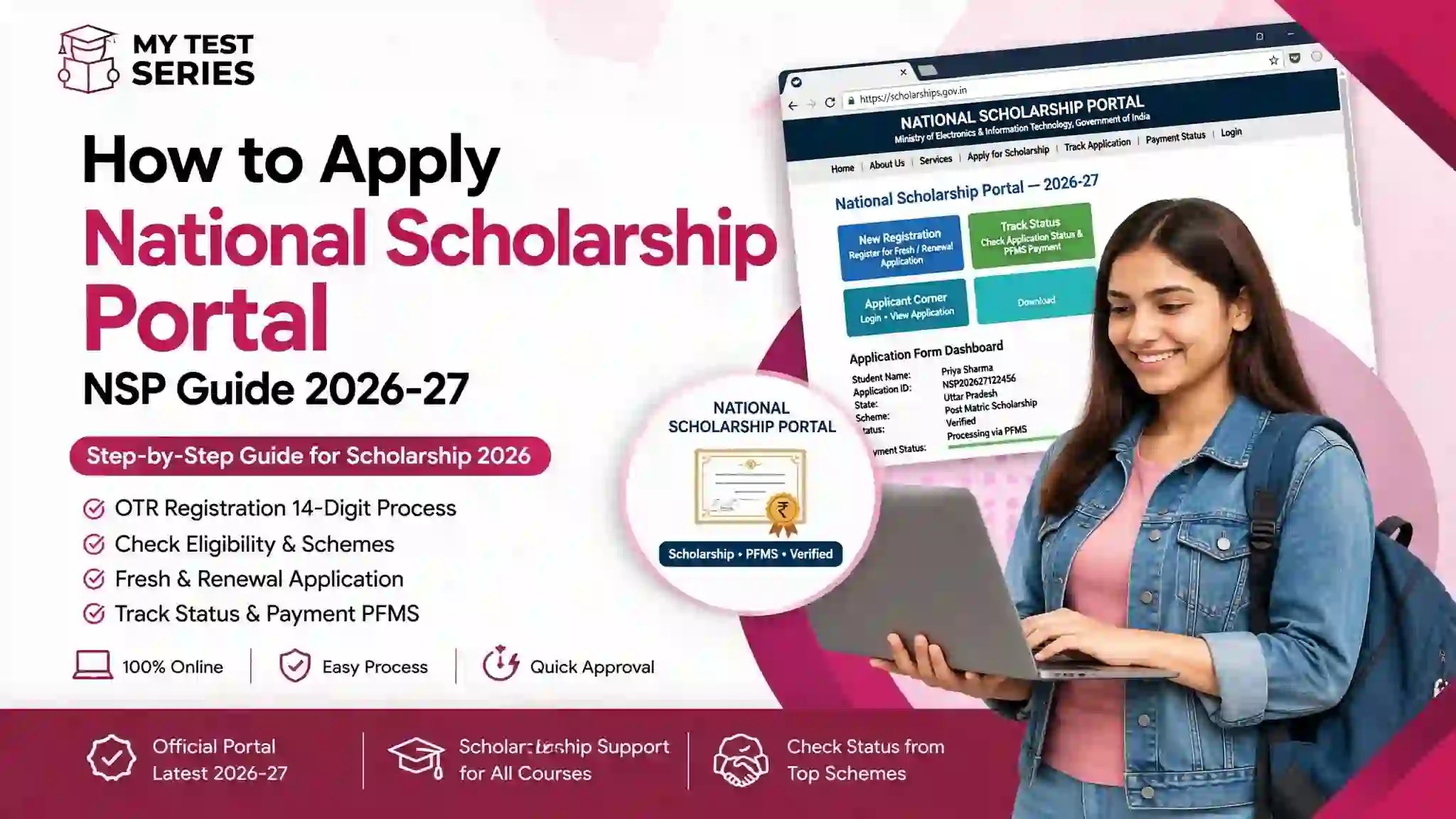
National Scholarship Portal (NSP) Guide 2026–27: Registration, Eligibility, Application and Status
The National Scholarship Portal (NSP) is a Government of India platform through which eligible students can find and apply for a range of scholarship schemes. This guide explains how to complete One Time Registration (OTR), check scheme eligibility, submit an application, prepare documents, track verification and monitor scholarship payments.
Important: Scholarship eligibility, application windows and required documents vary by scheme. Always verify the latest rules on the official portal before submitting an application.
Explore Official NSP Schemes ↗Academic year covered: 2026–27 | Reviewed: September 2026
1. What Is the National Scholarship Portal (NSP)?
The National Scholarship Portal is an online platform designed to bring multiple scholarship schemes together. It supports different stages of the scholarship process, including student applications, institutional and departmental verification, processing, sanction and disbursement, depending on the scheme.
The portal hosts schemes associated with different government ministries, departments and agencies. It is not a single scholarship with one eligibility rule or a fixed amount for every student.
For this reason, students should identify a specific scheme first and read its eligibility criteria, benefits, document requirements and closing date before applying.
What can students do on NSP?
- Explore available scholarship schemes.
- Review scheme-specific eligibility conditions and application dates.
- Complete the required One Time Registration (OTR).
- Submit fresh or renewal applications where available.
- Follow application verification and defect-related updates.
- Use the relevant payment-tracking service to check disbursement progress.
2. Who Can Apply for NSP Scholarships?
There is no single eligibility rule for every scholarship listed on NSP. Depending on the scheme, eligibility may depend on academic performance, family income, category, disability status, course, institution, domicile, year of study or other conditions.
Some schemes are intended for school students, while others support undergraduate, postgraduate, technical, professional or other eligible courses. Some are merit-based; others focus on welfare or particular beneficiary groups.
| Eligibility factor | What to check |
|---|---|
| Academic qualification | Required marks, examination results, course and current year of study. |
| Family income | Whether the scheme has an income ceiling and which income certificate or financial-year details it accepts. |
| Category or beneficiary group | Whether the scheme is limited to a specified category or group and what evidence is required. |
| Institution and course | Whether your institution and course are recognised and eligible under that scheme. |
| Residence or domicile | Any state, UT, domicile or other residence conditions. |
| Fresh or renewal status | Whether you are applying for the first time or continuing an existing award. |
| Other scholarship benefits | Whether the scheme restricts receiving another scholarship or similar financial assistance. |
Before applying: Read the scheme's official guidelines. Meeting a general condition such as low family income does not automatically mean that you qualify for every NSP scholarship.
If your main concern is the total cost of higher education, also read our student financing guide for India for information about scholarships, education loans and other funding options.
3. How to Complete NSP OTR Registration
One Time Registration (OTR) is a unique registration number used for scholarship applications on NSP. The official portal describes it as a 14-digit number based on Aadhaar or an Aadhaar Enrolment ID, subject to the applicable registration process.
OTR has been required for NSP scholarship applications from academic year 2024–25 onward. Follow the current portal instructions, especially if you are registering for the first time or need to resolve an authentication issue.
Step-by-step OTR process
- Open the official registration page. Visit the NSP OTR registration portal.
- Read the instructions. Check the requirements for your Aadhaar or enrolment details and the registration process.
- Register your mobile number. Enter an active mobile number and complete OTP verification as instructed.
- Complete the required eKYC. Follow the available Aadhaar or enrolment-ID route and the instructions displayed on the portal.
- Complete face authentication if required. Use the official NSP OTR app and supporting Aadhaar Face RD service where instructed.
- Check the details carefully. Ensure that the information matches your official records before submitting.
- Save your reference details. Keep your reference number and OTR information secure for future use.
If face authentication fails, read the current instructions on the official portal. Check whether the required apps are updated and whether Aadhaar biometric locking is affecting authentication. Do not repeatedly submit incorrect identity details.
4. How to Apply Online for an NSP Scholarship
Once you have completed OTR, you can look for an available scheme and follow its application instructions. The exact fields and supporting documents depend on the scholarship.
- Open the NSP website. Go to All Scholarships and choose the relevant academic year.
- Find an eligible scheme. Review the scheme name, eligibility, benefits, documents and application timeline.
- Sign in with your OTR credentials. Use the appropriate student login option for the relevant academic year and application type.
- Choose fresh or renewal. Select the application type that matches your situation and the scheme rules.
- Enter academic and personal details. Carefully complete the fields shown on the portal.
- Provide the required supporting information. Follow the scheme instructions for certificates, institution details and bank information.
- Review the complete form. Check spelling, dates, marks, income information, category and bank details against your documents.
- Submit before the deadline. Save the application or acknowledgement details displayed by the portal.
- Follow verification updates. Check whether your institution or the relevant authority requires further action.
5. Documents and Information to Prepare
Prepare your documents before starting the form. The following list is a general checklist, not a mandatory document list for every scheme. Follow the exact requirements shown in the official scheme guidelines.
- Aadhaar or other identity information accepted by the registration process.
- Active mobile number and email address.
- Previous examination marksheet or other academic records.
- Current admission, enrolment or institution details.
- Family income certificate, where required.
- Caste, category, domicile or disability certificate, where applicable.
- Bank account details in the student's name, where required by the scheme.
- Fee receipt or course-related documents, where required.
- Previous scholarship details for renewal applicants.
- Any additional certificate specifically requested by the scheme.
Check your bank details carefully
Make sure the account is active and the account-holder information matches the scheme's requirements. Where Aadhaar-based Direct Benefit Transfer is applicable, check the required Aadhaar-bank seeding status through the appropriate official service. A submitted application does not itself guarantee that payment has been sanctioned or credited.
Students considering an education loan alongside scholarship support can read our guide to education loans in India without collateral. Check the terms of both forms of financial assistance before assuming they can be combined.
6. How to Find the Right Scholarship Scheme
NSP hosts schemes with different objectives and eligibility conditions. Use the scheme directory to narrow down the options, then read the official guidelines for the particular scheme.
| What you need to establish | Why it matters |
|---|---|
| Scheme name and sponsoring authority | Identifies the rules and department responsible for the scholarship. |
| Eligible course and institution | Some schemes apply only to specified courses, institutions or study levels. |
| Merit or welfare conditions | Clarifies whether academic performance, beneficiary status or other conditions apply. |
| Financial assistance | Shows the amount or type of support available under the scheme's rules. |
| Application and verification dates | Helps you submit on time and leave room for any required correction. |
| Renewal requirements | Explains the conditions for continuing support in the next academic year. |
For example, the official directory includes schemes associated with school education, higher education, technical education and specific beneficiary groups. Availability and dates can change, so do not assume that a scheme shown in a previous year is open for fresh applications in the current year.
Students comparing bank funding options may also find these guides useful:
- SBI Student Loan vs SBI Scholar Loan
- Education loans for medical and nursing students
- Central Sector Interest Subsidy (CSIS) guide
Scholarships, interest subsidies and education loans are different forms of financial support. Check the eligibility and terms of each separately rather than assuming that approval for one automatically qualifies you for another.
7. NSP Application Deadlines and Verification
There is no single closing date that applies to every scholarship on NSP. Each scheme can have its own student application deadline, defective-application correction period and verification deadlines for institutions or authorities.
For academic year 2026–27, the official portal lists scheme-specific opening and closing dates. Some schemes may be open while others are closed, and fresh and renewal applications may follow different timelines.
What to check on the scheme page
- Whether the scheme is open for the current academic year.
- Whether fresh applications, renewals or both are accepted.
- The last date for student submission.
- The last date for correcting a defective application, if applicable.
- The institution and authority verification dates.
- Any special instructions for the applicant's category or course.
8. How to Check NSP Application Status
After submission, use the relevant student login and status options available for your academic year and scheme. The portal's interface may differ by application year and application type.
- Open the official NSP website.
- Select the student login or application-status option relevant to your academic year.
- Sign in using your required credentials.
- Open the application or status section.
- Read the displayed status and any action requested from you.
- If a defect or correction is shown, follow the official instructions before the applicable deadline.
What does an application status mean?
Status wording can vary by scheme and processing stage. Interpret the message displayed on your own application rather than relying only on a generic status list.
| Stage or message | What you should do |
|---|---|
| Application submitted | Keep the acknowledgement details and monitor further updates. |
| Pending verification | Check whether your institution or another authority must verify the application. |
| Defective or correction required | Read the exact reason and correct the information within the permitted window. |
| Verified or recommended | Understand that verification or recommendation may not be the same as final sanction or payment. |
| Sanctioned or approved | Check the scheme's next steps and the applicable payment-tracking service. |
| Payment pending or not received | Check the official payment service and confirm bank details and any required Aadhaar seeding. |
How to track scholarship payment
Where payment tracking is routed through the Public Financial Management System (PFMS), use the official PFMS website and its available payment-tracking service. Follow the instructions shown for your payment type.
If an application is approved but the payment is not visible, check the latest status first. Confirm that the bank account details are correct and review any scheme-specific instructions. If the issue continues, contact the official NSP helpdesk or the relevant scheme authority through the contact details published on the portal.
9. How to Renew an NSP Scholarship
Students who already receive a scholarship may need to submit a renewal application for the next academic year. Renewal is not necessarily automatic. Requirements depend on the scheme and may include academic progression, minimum marks, continued enrolment or other conditions.
Renewal checklist
- Confirm that the scheme allows renewal for your current course and year.
- Use the required OTR credentials to access the portal.
- Select the renewal option if applicable to your existing award.
- Update the academic details requested for the new year.
- Provide the marksheet, admission or other documents required by the scheme.
- Review the form before submitting it.
- Complete any institutional verification and monitor status updates.
The portal may publish separate dates for renewal applications and institutional verification. Always check the dates for your specific scheme and academic year.
10. Common NSP Application Mistakes to Avoid
1. Choosing a scheme without reading its rules
Do not apply based only on a scheme name or a social-media summary. Read the official eligibility criteria, benefits and exclusions first.
2. Entering incorrect personal information
Check your name, date of birth and other identity details against the documents required by the portal. Incorrect or inconsistent details may cause verification problems.
3. Missing the application deadline
Keep track of the student submission deadline as well as correction and verification dates. Do not assume that a deadline for one scheme applies to another.
4. Selecting the wrong application type
Check whether you should submit a fresh application or a renewal. Follow the instructions for the specific scheme and academic year.
5. Ignoring a defective application notice
Read the stated defect and follow the portal's correction process. A correction may be possible only during a specified period.
6. Providing incorrect bank details
Check account information and any applicable Aadhaar-linked payment requirements. Never share your bank PIN, password or OTP with an unofficial helper.
7. Assuming submission means approval
Applications can require several verification and processing stages. Continue checking the official status until the relevant decision and, where applicable, payment information is available.
8. Paying someone who promises guaranteed approval
No agent should be able to guarantee that a government scholarship will be sanctioned. Use the official portal and verified support channels.
11. What to Do If You Face an NSP Problem
If you cannot register, log in, submit an application or track payment, first identify the exact issue and check the portal's current instructions.
- OTR or authentication issue: Read the current OTR instructions and check the required app and authentication steps.
- Application defect: Open the application and read the reason provided by the portal.
- Institute verification issue: Contact your institution's scholarship or nodal office using its official contact details.
- Payment issue: Check the applicable payment-tracking service and bank information.
- Unresolved technical issue: Use the official NSP helpdesk details published on the portal.
For general higher-education funding planning, revisit our student financing guide. If you are considering overseas study, our guides on overseas education loans without collateral and proof of funds for student visas explain separate financing considerations.
12. NSP Scholarship vs Education Loan: What Is the Difference?
A scholarship and an education loan are not the same. A scholarship provides financial assistance subject to the scheme's conditions. An education loan is borrowed money that generally must be repaid under the lender's terms.
| Feature | Scholarship | Education loan |
|---|---|---|
| Nature of support | Financial assistance under a scheme's rules. | Borrowed funds subject to a loan agreement. |
| Repayment | Usually does not require repayment if the award conditions are met. | Repayment is generally required under the agreed terms. |
| Eligibility | Depends on the specific scholarship scheme. | Depends on the lender's eligibility and credit or co-borrower requirements. |
| Amount available | Set by the scheme and the student's approved award. | Depends on eligible education expenses and the lender's approval. |
If you are comparing student loans, read our guides to collateral-free education loans and SBI Student Loan vs SBI Scholar Loan. Students paying interest on an eligible education loan may also want to read our Section 80E education-loan interest tax guide, while checking the tax rules applicable to their own tax period.
13. Frequently Asked Questions About NSP
What is the National Scholarship Portal?
The National Scholarship Portal is a Government of India platform that brings together scholarship services and schemes from participating ministries, departments and agencies. Students can explore schemes, apply where eligible and follow the application process.
Is OTR mandatory for NSP scholarship applications?
Yes. The official NSP portal states that One Time Registration is required for scholarship applications from academic year 2024–25 onward. Follow the current portal instructions to generate or access your OTR.
Is NSP OTR registration free?
The official OTR registration instructions state that no fee is required for OTR registration. Use the official portal and avoid anyone promising guaranteed scholarship approval for payment.
Who is eligible for NSP scholarships?
Eligibility depends on the specific scheme. Criteria may include academic performance, family income, category, disability status, course, institution, domicile and other conditions. Check the official guidelines for the scheme you intend to apply for.
What is the last date to apply for NSP in 2026–27?
There is no single deadline for all NSP schemes. Each scheme may have its own application, correction and verification dates. Check the live official scheme directory for the current deadline.
Can I apply for more than one scholarship through NSP?
The official portal's 2026–27 announcement says students may apply for one merit-based scholarship scheme and one or more welfare-based schemes, subject to eligibility criteria. Always read the applicable scheme rules and restrictions before submitting applications.
How can I check my NSP scholarship status?
Sign in through the official portal using the required student credentials for your academic year. Open the relevant application or status section and follow any instructions shown there.
How can I check whether my NSP scholarship payment has been released?
Check the application status on NSP and use the applicable official payment-tracking service, such as PFMS where directed. Payment timing and tracking options depend on the scheme and processing stage.
Can I renew my NSP scholarship?
Renewal is available for schemes that permit it, subject to their conditions. Students should check the renewal option, academic requirements, documents and deadlines for their specific scholarship.
What should I do if my NSP application is defective?
Read the defect message on the portal, correct the specified information according to the instructions and submit it within the applicable correction period. If you cannot resolve the issue, contact the institution or official support channel relevant to your scheme.
Does submitting an NSP application guarantee a scholarship?
No. Submission does not guarantee approval or payment. The application must meet the scheme's eligibility conditions and pass the required verification and sanction process.
Where can I get official NSP assistance?
Use the contact details and helpdesk information published on the official National Scholarship Portal. Never enter sensitive personal information, OTPs, passwords or bank PINs into an unofficial website or chatbot.
14. Final Checklist Before You Submit
- ☐ I checked the scheme's official eligibility criteria.
- ☐ I confirmed the current academic year and application deadline.
- ☐ I completed the required OTR process.
- ☐ My personal, academic and bank details are accurate.
- ☐ I prepared the documents required for my scheme.
- ☐ I selected the correct application type.
- ☐ I reviewed the form and saved the acknowledgement details.
- ☐ I know how to check verification and payment status.
Ready to Check NSP Scholarships?
Use the official scheme directory to confirm current eligibility, application dates and instructions before submitting your application.
Visit Official NSP Scheme List ↗This article is an independent educational guide. MyTestSeries.in is not the government portal and does not approve or disburse NSP scholarships.
Disclaimer: Scheme rules, deadlines, eligibility criteria and portal procedures may change. This guide is for general educational information and is not an official government notification. Always follow the latest official instructions for your chosen scheme.